
APP
Essential Software Tools Every Mobile App Developer Needs

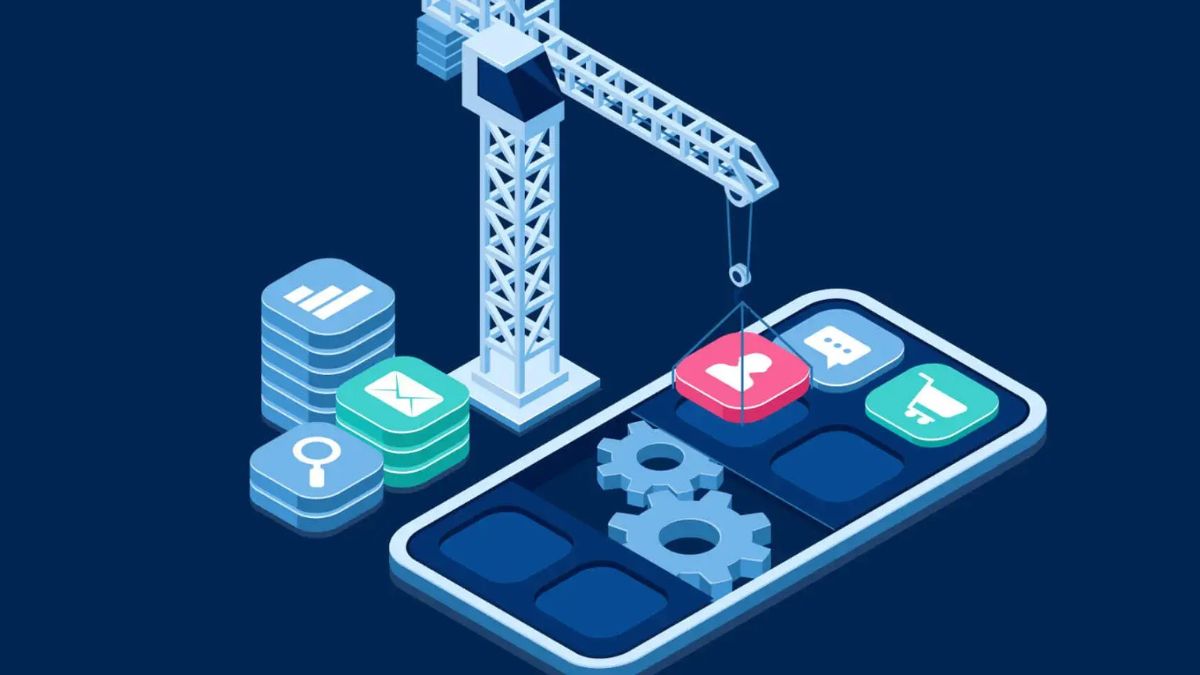
Mobile application development is a very dynamic industry and is growing at a very fast pace due to the development of new technologies, frameworks, and tools. If you are an application developer, software development tools are important to enhance the productivity of your app.
App Developers in San Francisco are leading the way, constantly innovating to deliver mobile apps that set new standards. If you’re not staying up-to-date with the latest development tools and frameworks, you risk falling behind in this fast-paced environment.
They have the advantage of assisting in cutting down on the development resources utilized, raising usability, and guaranteeing a finished product that meets the prospective user’s demands. It doesn’t matter if you are targeting iOS, Android, or both, utilizing the correct tools can greatly improve an app and its development process in coding, designing, testing, as well as deployment.
In this blog, we will provide a closer look at the essential software tools required for mobile app development before investing in them.
1. Integrated Development Environments (IDEs)
The initial and probably the most significant apparatus for any mobile app creator is an Integrated Development Environment (IDE). Integrated development environments consist of several tools that facilitate the writing, testing, and debugging of codes which make them core tools for developers. Here are two popular IDEs that dominate mobile app development:
Xcode (For iOS Development)
Xcode is the officially developed Integrated Development Environment by Apple specifically for iOS application development. Everything needed to create iPhone, iPad, or Mac applications is provided by Xcode, such as the smooth-surfaced code editor, iOS emulator, debuggers, and Interface Builder for constructing user interfaces.
Another advantage is that Xcode works well with Swift, a programming language owned by Apple, and this makes the development process quite smooth.
Android Studio (For Android Development)
The IDE for building apps for Android is known as Android Studio, which was developed by Google. It comprises all the tools one needs to develop Android applications ranging from a smart code editor to the application emulator, the graphical designer, powerful debugging aids, etc.
In the beginning, it is crucial to know that Android Studio was developed to work with Java and Kotlin, which are considered the key languages for creating applications for Android. However, mobile app developers in Miami always prefer to use Android Studio for its comprehensive set of features that streamline the development process.
As for the development environment, these IDEs provide a complete experience for developers; however, the platform chosen has to be iOS or Android.
2. Version Control Systems (VCS)
For each task involving shared code or when you’re the only developer, it’s important to reflect on the code changes, share your work with teammates, and deal with various versions of the application. All of this is made easier by a Version Control System (VCS), and the most widely used today is Git.
Git
Git is actually a distributed version control system that will enable a developer to delve into and then control the alteration of codes done in the future. GitHub and GitLab are two best-known platforms that are based on Git distribution and include additional features such as collaboration tools, code reviewing, and issue tracking systems. Git specifically allows developers to maintain different versions of the app and also to control a code branch and merge changes.
3. UI/UX Design Tools
Design is a vital element when it comes to mobile applications. Building top-notch interfaces can be challenging, and front-end developers need all the support they can get from different tools. Here are a few tools that every mobile app developer should consider:
Sketch
The sketch is among the most preferred UI/UX design tools in the macOS operating system. It has vector-based graphic design features, which are usable in designing interfaces of apps and related assets. Even though Sketch is a relatively new application, its interface makes it easy for developers, especially the front-end ones, to create wireframes, active prototypes, and final app designs.
Figma
Figma is an online designing tool in a browser specifically designed for team collaboration on design works. It’s convenient and helps design, prototype, and prepare designs for hand-off to the development team.
One thing that has employed Figma for collaboration is the fact that it is an application that operates in the cloud and thereby allows several individuals to work together whether they are distant or work in different places.
Adobe XD
Adobe XD is another fantastic tool that can be used for the design of user interfaces and designing different interactive prototypes. Because it is made by the same company as Illustrator and Photoshop, Adobe XD is perfect for designers who are already using Adobe products.
4. App Testing and Debugging Tools
It is crucial to test your mobile app so that the application performs adequately on various devices and operating systems. Errors and bugs are enemies of usability, which is why developers require efficient testing and debugging tools.
TestFlight (For iOS)
TestFlight is the official tool by Apple meant for beta testing of applications and software for iOS. This enables developers to release beta versions of their apps to the testing fraternity in that they can help to report bugs. TestFlight assists in the establishment that your app functions optimally before its posting on the App Store.
Firebase Test Lab (For Android)
Firebase Test Lab is an environment through which Android apps can be tested from the cloud. Google tool that allows developers to test applications and games on devices located in Google data centers. With this tool, you can also run through the entire setup on any Android device, including screens of different sizes and different versions of the operating system.
Sentry
Sentry is an error-tracking software in an open-source platform aiding developers in identifying and solving errors and crashes. It features both iOS and Android applications, analyzing where and how mistakes were made, which helps developers address problems more efficiently.
5. Backend Development Tools
Many mobile applications can function without an Internet connection and the majority of them need some backend services for storing the information, user authorization, etc. Here are some tools and platforms to help developers build and manage the backend of their apps:
Firebase
Firebase is one of Google’s most potent tools that provides multiple backend services related to mobile applications. Such features can be placed in real-time databases, user authentication, cloud storage, analytics, and others. Firebase is specifically for developers who want to install cloud services in their applications but do not want to be bothered by the need for server support.
Node.js
For developers who are thinking about creating their custom backends, Node.js is a perfect fit. Node.js is an open-source server environment built on Chromium’s V8 engine to execute JavaScript applications on the network. The framework is light, fast, and suitable for constructing server-side applications of mobile apps.
Django (For Python Developers).
Django is a Python-based framework built for web- applications with a high focus on developer productivity and an elegant, pragmatic approach. It brings many functionalities like authentication, database management, and form handling and that’s why it’s best suitable for mobile application developers who prefer Python as back end language.
6. Mobile App Analytics Tools
To determine if your app is achieving its goals and satisfying user needs, capturing comprehensive usage statistics, crash rates, and other relevant data is necessary. These mobile analytics are useful in offering information on how an application is performing to the developers.
Google Analytics for Firebase
Firebase also includes tools for analytics to understand user engagement, general and specific app activity, and inactivity. To help the developers engage and retain users, Google Analytics for Firebase offers real-time analytics, as well as detailed reports.
Flurry Analytics
Flurry Analytics is a great and free service for developers and publishers with mobile apps to monitor the user’s behavior and use patterns. You can use it to monitor overall conversion metrics and all activities that take place in an application, which will help to improve an application.
7. App Deployment and Continuous Integration Tools
To deploy apps and also to verify if the app runs as expected in all the environments, CI/CD solutions remain relevant. Here are a few tools that make this process seamless:
Fastlane
For those who have no idea what Fastlane is, it is an automation tool designed to help deploy iOS and Android applications. It also handles screenshot generation, certificates, as well as app deployment, either to the Apple App Store or Google Google Play Store. Employers benefit from Fastlane because it makes development faster and allows them to avoid mundane activities.
Jenkins
Jenkins is an open source Automation server that is used for Continuous Integration and Continuous Deployment or delivery. It works with version control systems and can build, test, and deploy mobile applications to deliver a streamlined development process.
8. Cloud Storage and Collaboration Tools
Cloud storage tools are used by developers to store codes, graphics, and other materials and to share them with others in the team. Modern work collaboration tools help with communication and the planning of projects.
Google Drive
Google Drive is an online file storage service with strong cooperation tools. Coders can upload source code, graphical designs, and documentation. Google Drive also works with other Google applications such as Google Docs and Google Sheets for collaborative work.
Slack
Slack is an information-sharing software that allows members of a team to communicate in real-time. This links well with other development tools to ensure that different teams are informed and well-coordinated while working on mobile app projects.
Wrapping Up
In the rapidly expanding mobile application market, it is critical to stay current with the latest trends and technology available. These tools are simple for transforming ideas or creative concepts into productive and powerful applications that are user-friendly and do not cause complexity during development. A skilled app developer is more than just a programmer; they also know which tools are best to employ.
Therefore, developers should devote time to researching and testing various tools that will best suit the context of their projects.


In today’s competitive digital world, building a successful mobile app requires more than just coding skills. Developers need a well-structured software stack that includes the right tools, frameworks, and technologies to ensure smooth development and high performance.
A strong software stack helps developers work more efficiently across every stage of development, from designing user interfaces to managing databases and deploying applications. In this article, we’ll explore the essential tools and technologies every successful app developer relies on to build scalable and high-quality mobile applications.
Core Programming Languages and Frameworks for App Developers
Core programming languages and frameworks are the building blocks of mobile app development. They decide how an app functions, how it looks, and how smoothly it runs across different devices. This is why many businesses prefer working with app developers in Chicago to ensure their applications are built using the right technologies for better performance and user experience.
Programming Languages Used in App Development
-
Swift (iOS Development)
Swift is used to build apps for Apple devices like iPhones and iPads. It is fast, modern, and designed specifically for iOS development.
-
Kotlin (Android Development)
Kotlin is the preferred language for Android apps. It is simple, safe, and fully supported by Google for modern Android development.
-
Java (Android Development)
Java is an older but still widely used language for Android apps. Many existing applications are built with Java.
-
JavaScript (Cross-platform Development)
JavaScript is used for building apps that work on both Android and iOS, especially when combined with frameworks like React Native.
Popular Frameworks for App Development
-
Flutter
Flutter is a Google framework that allows developers to build apps for both Android and iOS using a single codebase. It is known for fast performance and beautiful UI.
-
React Native
React Native, developed by Meta, helps developers create cross-platform apps using JavaScript. It saves time and reduces development effort.
-
SwiftUI
SwiftUI is Apple’s modern framework for building user interfaces on iOS apps with less code and better design control.
-
Android Jetpack
Jetpack is a set of tools and libraries that helps Android developers build high-quality apps more easily.
In Simple Words
Programming languages are the tools used to write app code, while frameworks are ready-made systems that make development faster and more efficient. Together, they form the core foundation of every mobile application.
Essential Frontend and Backend Development Tools
Frontend and backend tools are essential for building a complete mobile application. The frontend focuses on what users see and interact with, while the backend handles the data, logic, and server-side operations behind the app.
Frontend Development Tools
Frontend tools help developers create the design, layout, and user experience of a mobile app.
-
Android Studio
A powerful tool used for building Android apps with features like code editing, debugging, and testing.
-
Xcode
Apple’s official development tool for building iOS applications with a smooth interface and built-in testing features.
-
Flutter SDK
Helps developers build visually rich apps for both Android and iOS using a single codebase.
-
React Native Tools
Used with JavaScript to create cross-platform mobile apps with a native-like experience.
Backend Development Tools
Backend tools manage the server, database, and application logic that users don’t see but rely on.
-
Node.js
A popular backend runtime that allows developers to run JavaScript on the server side.
-
Django
A Python-based framework that helps build secure and scalable backend systems quickly.
-
Firebase
A cloud-based platform by Google that provides authentication, databases, and real-time data syncing.
-
MongoDB
A NoSQL database used to store and manage large amounts of app data efficiently.
In Simple Words
Frontend tools are used to design how the app looks and feels, while backend tools power everything that happens behind the scenes. Both are equally important for building a fully functional and high-performing mobile application.
UI/UX Design and Prototyping Tools for Better Apps
UI/UX design is one of the most important parts of mobile app development because it directly affects how users interact with an application. A well-designed interface makes the app easy to use, visually appealing, and more engaging for users. On the other hand, poor design can lead to confusion and a bad user experience, even if the app has strong functionality.
Good UI/UX design ensures smooth navigation, better usability, and higher user satisfaction. It also helps developers and businesses understand user behavior and improve the app before its final release. Prototyping plays a key role here, as it allows teams to create interactive models of the app before actual development begins. This helps in testing ideas, collecting feedback, and making improvements early in the process. Many businesses also collaborate with application developers in Miami to create user-friendly and visually appealing app experiences.
UI/UX Design and Prototyping Tools
- Figma
- Adobe XD
- Sketch
- InVision
These tools help designers create wireframes, design app layouts, and build interactive prototypes that simulate real app experiences.
In simple terms, UI/UX design tools focus on how an app looks and feels, while prototyping tools help test how the app will work before development starts. Together, they ensure that the final product is user-friendly, efficient, and visually appealing.
Testing, Debugging, and Performance Optimization Tools
Testing, debugging, and performance optimization are essential steps in mobile app development. Even if an app is well-designed and properly coded, it can still have bugs, slow performance, or usability issues. That’s why developers rely on different tools to identify problems, fix errors, and improve overall app quality before launching it to users.
Testing tools help developers check whether the app is working correctly across different devices and operating systems. They ensure that every feature functions as expected and that users do not face crashes or errors. Debugging tools are used to identify and fix coding issues, making the app more stable and reliable. Performance optimization tools, on the other hand, help improve speed, responsiveness, and overall efficiency of the application.
Testing, Debugging, and Optimization Tools
- Selenium
- Appium
- JUnit
- Firebase Test Lab
These tools are widely used by developers to automate testing, detect bugs, and ensure smooth performance across Android and iOS platforms.
Cloud Services and Deployment Platforms for Scalable Apps
Cloud services and deployment platforms play a key role in modern mobile app development. They help developers store data, run applications, and manage backend systems without relying on physical servers. This makes apps more flexible, secure, and easy to scale as user demand grows.
With cloud technology, mobile apps can handle large amounts of traffic and data in real time. It also allows developers to update apps faster, improve performance, and ensure better reliability. Deployment platforms make it easier to launch applications, manage updates, and monitor performance after release. Together, cloud and deployment tools help developers build apps that are stable, scalable, and ready for global users.
Cloud Services and Deployment Platforms
- Amazon Web Services (AWS)
- Google Cloud Platform (GCP)
- Microsoft Azure
- Firebase
These platforms provide services like cloud storage, databases, hosting, authentication, and real-time data synchronization, making app development more efficient and scalable.
Conclusion
Building a successful mobile application requires more than just coding skills; it depends on choosing the right software stack. From programming languages and frameworks to design tools, testing solutions, and cloud platforms, every component plays an important role in creating a smooth and reliable app.
When developers use the right combination of tools, they can build apps that are faster, more secure, and scalable for future growth. In today’s competitive market, having a strong software stack is not just an advantage—it is a necessity for delivering high-quality mobile applications that meet user expectations.

Introduction to Scrolller App
The Scrolller app has taken the digital content world by storm, offering users a unique and engaging platform to explore an endless variety of visual treasures. If you’ve dabbled in this innovative app, you might think you know all its features. However, there’s so much more lurking beneath the surface! From personalized recommendations to seamless social media integration, Scrolller is packed with surprises that can elevate your browsing experience. Get ready to delve into some of the top features that make the Scrolller app a must-have for any content lover. Whether you’re looking for inspiration or just want to unwind, there’s something here for everyone. Let’s uncover what makes this app truly special!
Unique Features of Scrolller App
The Scrolller App stands out with its innovative features designed for an engaging user experience. One of the most intriguing aspects is its dynamic content discovery system. Users can effortlessly explore a wide array of topics, ensuring they never run out of fresh material to enjoy.
Another unique feature is the community-driven aspect. Users can share and recommend their favorite posts, creating a vibrant environment filled with diverse perspectives. This not only enhances interaction but also helps users find niche content that resonates with them.
Additionally, Scrolller offers customizable feeds tailored to individual preferences. By simply adjusting settings, users can curate their browsing experience based on interests, making each visit feel personalized and relevant.
Personalization and Customization Options
The Scrolller app takes personalization to a new level. Users can tailor their feeds based on specific interests, ensuring that the content they see is always relevant.
Customization goes beyond just topic selection. You can adjust your layout preferences, choosing between different viewing options to suit your style. This flexibility makes browsing enjoyable and efficient.
Want to save your favorite posts? The app allows you to create personalized collections of content. This feature helps you curate a unique gallery tailored entirely to your tastes.
Notifications are another area where customization shines. Set alerts for particular topics or users so you’re always in the loop without feeling overwhelmed by unnecessary updates.
With these robust personalization features, the Scrolller app ensures every user experience feels uniquely crafted and engaging, making it easy to lose track of time while exploring endless possibilities.
Enhanced User Experience with Dark Mode and Grid View
The Scrolller app elevates your browsing experience with its sleek dark mode feature. Perfect for late-night scrolling, this option reduces eye strain and enhances visibility. Users can enjoy their favorite content without the harsh glare of bright screens.
Grid view is another standout feature that transforms how you explore images and videos. Instead of endless scrolling, grid view presents thumbnails in a visually appealing layout. This format allows for quicker navigation, making it easy to find what you’re looking for at a glance.
Switching between these modes is seamless, allowing users to tailor their experience based on mood or environment. Whether you prefer the calming darkness or appreciate the organized look of grid display, both options make your time on Scrolller more enjoyable and efficient. Your comfort matters here—it’s all about personal preference while consuming content effortlessly.
Integration with Social Media Platforms
Scrolller app seamlessly integrates with various social media platforms, enhancing your content-sharing experience. This feature allows users to effortlessly share their favorite posts or discover trending topics across multiple networks.
Connecting your accounts can broaden your reach and encourage community interaction. Whether it’s Instagram, Twitter, or Facebook, sharing becomes a breeze. You can showcase engaging scrolls directly on these platforms, inviting friends into the fun.
Moreover, integration fosters a dynamic environment where users can follow each other’s activities. It creates an engaging loop of inspiration and creativity among followers. The ability to interact with others through shared interests enhances user connections within the Scrolller community.
This cross-platform connectivity makes exploring new content more exciting while keeping you updated on what’s popular in real-time. Sharing compelling visuals has never been easier!
Advanced Search Filters for Easy Browsing
The Scrolller app takes browsing to a new level with its advanced search filters. Users can effortlessly find exactly what they’re looking for without endless scrolling.
With options to filter by categories, tags, or even specific keywords, searching becomes efficient and tailored. This feature saves time and enhances the overall experience.
Moreover, you can combine multiple filters for an even more refined search. Want memes about cats from 2022? Just set your preferences, and let the app do the work for you.
This capability is particularly useful when exploring vast content collections. It makes discovering hidden gems easier than ever before while ensuring that users engage with relevant material quickly.
No more random results; just personalized content at your fingertips. The advanced search filters truly elevate how users interact with Scrolller’s extensive library of visuals and media.
Additional Benefits of Using Scrolller App
The Scrolller app offers a seamless browsing experience that keeps users engaged. Its intuitive interface allows for quick navigation, making it easy to find and explore new content.
Another advantage is the vast library of user-generated content. This diverse range ensures there’s always something fresh and exciting to discover, catering to varied interests.
Moreover, the community aspect fosters interaction among users. You can share your favorite finds or engage with others through comments, enhancing the overall experience.
Security also stands out as a key benefit. The app prioritizes user privacy, allowing you to enjoy content without concerns about data breaches or unwanted exposure.
Regular updates ensure that users have access to the latest features and improvements. This commitment shows that Scrolller values its community and continuously seeks ways to enhance their experience.
Conclusion
The Scrolller app is more than just a platform for browsing content; it’s a treasure trove of features designed to enhance your viewing experience. From personalization options that cater to individual tastes, to the sleek dark mode and grid view that make navigation effortless, this app truly stands out.
Its integration with social media platforms allows users to share their favorite content seamlessly. Plus, the advanced search filters ensure you can find exactly what you’re looking for without hassle. Each feature works together to provide an intuitive and enjoyable user experience.
With all these benefits at your fingertips, using the Scrolller app becomes not only easy but also highly engaging. Whether you’re discovering new interests or revisiting old favorites, it keeps you connected in ways you might not have expected. The Scrolller app continues evolving and enhancing its offerings, making it worth exploring further if you haven’t already dived in!

Social media in today’s world is an indispensable tool for every brand. It is not just an account you use to post your latest product demos and launches; instead, it is the digital face of your brand. Depending on how well you present your brand online, your offline success takes shape accordingly. Choosing offline marketing alone or just online marketing is not an option. It is not a “this or that” situation; instead, it is an opportunity to present yourself as an inclusive, modern, and cohesive brand that focuses on building an online reputation as refined and polished as offline. You have a stage with the entire world as your audience, and it is in your hands how you decide to capture their attention. Your followers are your biggest cheerleaders who can help you create a timeless brand that speaks for itself.
However, social media is approaching a stage of saturation. With frequent algorithm changes and content overload, a basic and traditional approach towards social media cannot suffice. Your online presence and posts should not be there just for display, they should have the power and influence to spark a conversation and create value. A buzz online is bound to develop traction offline. However, it is very easy to get lost in the noise. With authentic and smart approaches, you can cut through the crowd and speak to your audience. It’s not about becoming a part of every trend or focusing on being viral, it’s about building a social media account that sustains itself and aligns with your customer needs, habits, and preferences with the help of brand consultancy services. You need to focus on creating momentum and ensure that you are creating connections that are deep-rooted in emotions.
In this article, we will look at 5 actionable tactics for social media growth and help you crack the online game. Using these insights, you can maintain your brand voice and create a social media presence that sells and grows.
5 Proven Tactics To Grow Your Brand On Social Media
-
Be Consistent, Not Just Creative
Consistency is as important as creativity, if not more. If your posts have different themes and convey confusing messages, it can dilute your momentum. You can design a simple, sustainable content calendar based on your team’s actual capacity. Sticking to 2-3 primary platforms where your audience is most active can help you make a stronger impact with fewer resources. Tracking your content using KPIs and focusing on engagement rates, reach, saves, and shares can help you look beyond the likes. Adopting batch creation and preparing 1-2 weeks of content at once can help you reduce daily pressure and keep your content pipeline consistent.
-
Build Value-First Content That Solves Real Problems.
Your content is not just for show; it should address real-world problems and solve them. Value-first content is the most apt answer to the question “How to build a brand strategy?” People follow a brand that adds value to their life and brings about some positive impact or the other. Experimenting with your existing content and asking, “What’s in it for the audience?” can help you create genuine connections. Create content pillars around education, storytelling, and community. Use carousels, how-to videos, and a step-by-step guide to teach and share practical tips. You can also share bite-sized industry knowledge and break down complex concepts into digestible insights.
-
Use Short-Form Video to Drive Visibility and Sales
Starting with low-lift videos, such as behind-the-scenes, tutorials, packaging processes, or customer testimonials, can help drive visibility and sales. Using storytelling frameworks like “problem-solution-outcome” can help you create engaging videos. You need to hook your audience in the first 2-3 seconds with a bold statement or question. Using narrative features like trending sounds, subtitles, and on-screen text can help you improve watch time. Adhering to the formats that work on different platforms and repurposing your long-form content accordingly can help you reinforce your messaging.
-
Prioritize Meaningful Engagement Over Mass Reach.
Your audience is not just mere followers; they are the driving force behind your brand’s reputation. Assigning a team member each day to engage with your followers, replying to comments, and participating in industry conversations can help make your audience feel valued. Using question boxes, polls, and AMA (ask me anything) features can help you encourage interaction. Re-sharing user stories and comments to show appreciation and social proof can help you attract new audiences.
-
Collaborate With Creators To Show Real Users
Building trust on social media is tricky, but it can be managed through smart strategies. Creating a branded hashtag and encouraging users to share their experience with your product or service, partnering with micro-influencers who have engaged, niche communities, and sharing behind-the-scenes content from creators who align with your mission or values can help turn happy customers into active promoters.
-

 TOPIC1 year ago
Top 5 Features of Googlediqiu You Didn’t Know About
-

 TOPIC2 years ago
Why Large Waterproof Outdoor Rugs Are Essential for All Outdoor Spaces
-

 FASHION2 years ago
How to Layer Your White Dress for Cold Weather?
-

 FASHION1 year ago
How to Choose Sunglasses That Perfectly Complement Your Summer Wardrobe
-

 TOPIC2 years ago
7 Expert Tips For Choosing The Best Basement Renovation Companies
-

 BUSINESS1 year ago
Top 5 Features of Sowix Online That Every User Should Know About
-

 TOPIC1 year ago
Why Greece Katz Martian Has Everyone Talking in 2025
-

 FINANCE2 years ago
How TraceLoans Can Simplify Your Finances